
Why I Built My Own iMacros Alternative
Used iMacros to fill web forms for years? When it was discontinued, I built EasyAgent, a free browser macro recorder. Here's how I use it.
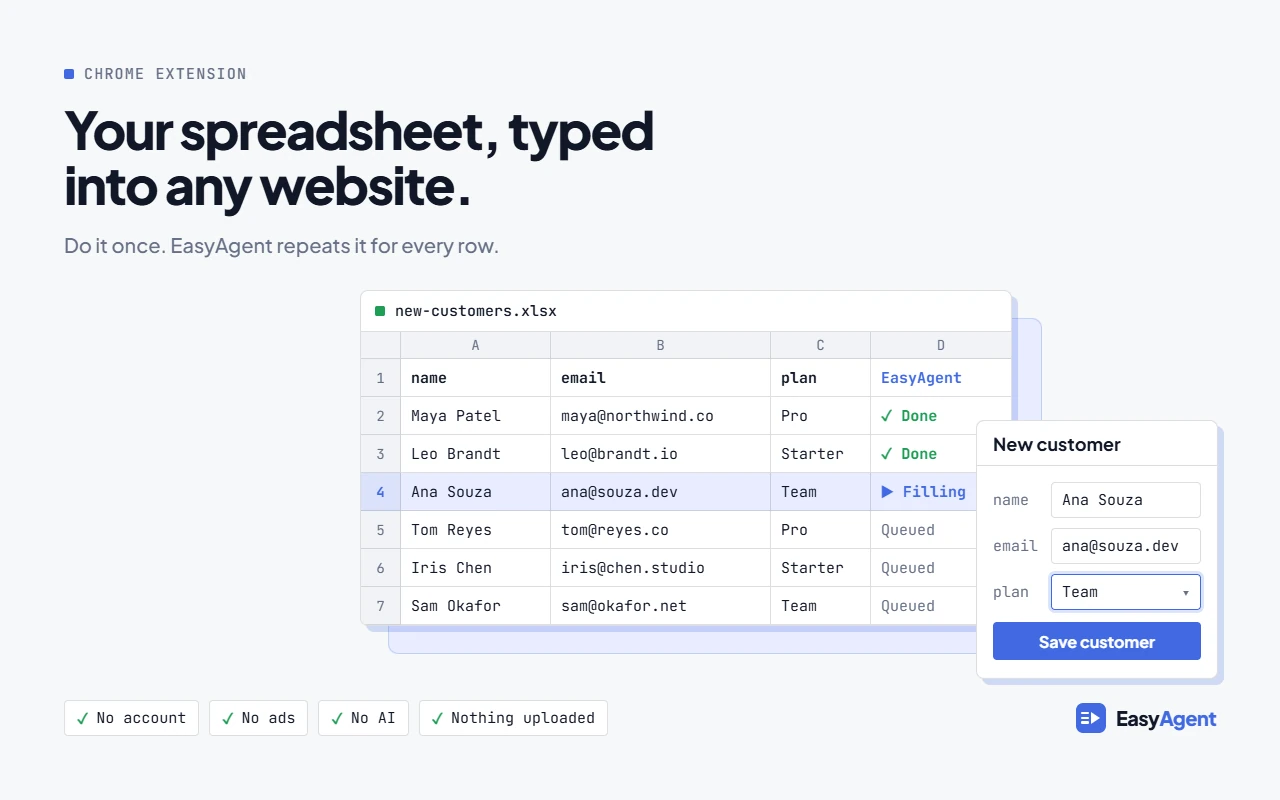
For many years, on and off, I used iMacros to enter data into web forms at work. The job was usually the same. I had a spreadsheet, and each row needed to go into a form on a website that had no import option. iMacros let me record the steps once and then loop through the rows.
iMacros was discontinued in 2022. In January 2024 it was removed from the Chrome and Firefox extension stores. I had relied on it for a long time, and now it was gone.
Looking for a replacement
I tried a few alternatives, but none of them worked the way I wanted. Some were far more complicated than the job needed. Some wanted me to create an account before I could do anything. Some charged per run, which doesn't suit a task you repeat every week. And some couldn't do the one thing I needed most: fill in a form once for each row of a spreadsheet.
That isn't a criticism of those tools. Many of them do a lot more than iMacros ever did. They just weren't built for my fairly simple use case.
Building my own with AI
So I built my own. I'm not a full-time developer, but with an AI coding assistant I could build what I actually needed. Before AI, I simply wouldn't have been able to. I've built the other tools on this site the same way.
The result is EasyAgent, a free browser macro recorder for Chrome and Firefox. It's the iMacros alternative I was looking for. AI helped me write it, but there's no AI inside the extension itself.
Filling a web form from a spreadsheet
Here's how I use it for the job iMacros used to do. If you want more detail, there's a longer guide on how to auto-fill web forms from Excel.
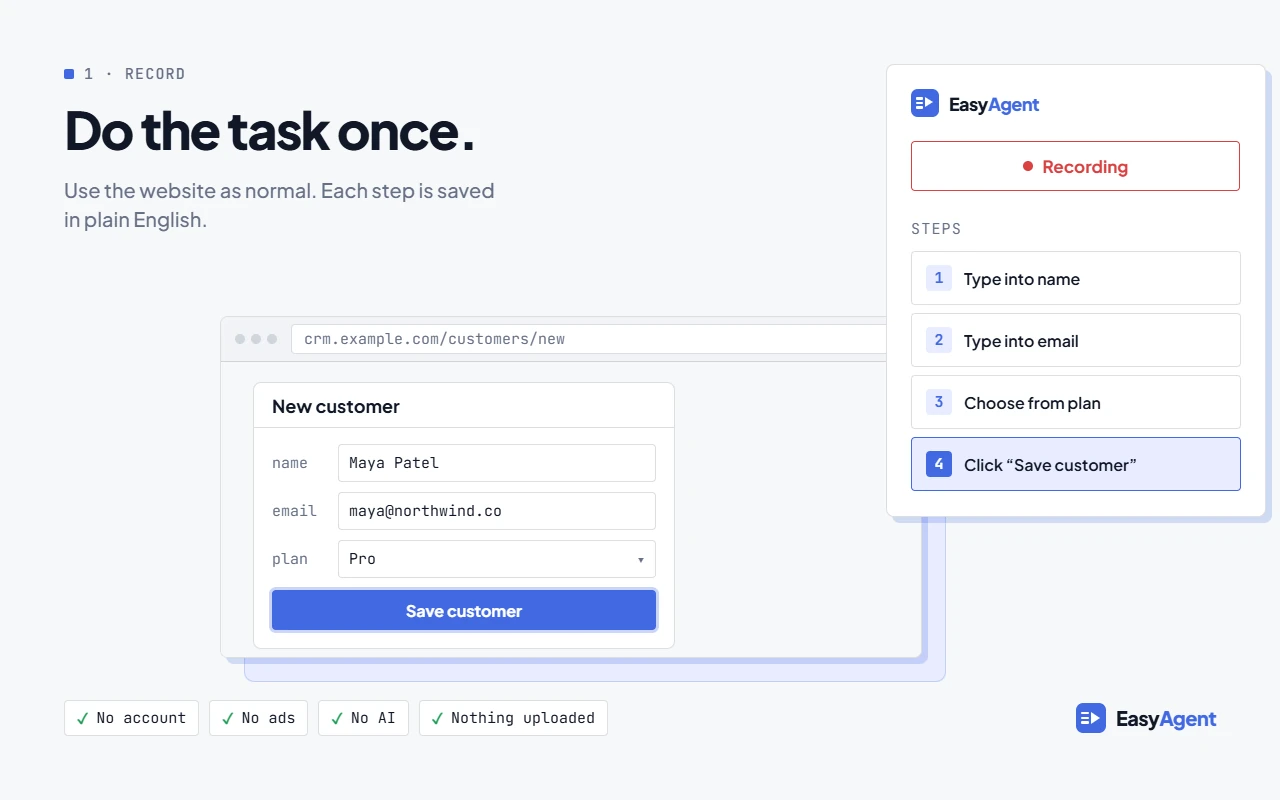
- Record the task once. Open the form, start recording, then fill it in and submit it as you normally would. EasyAgent saves your clicks, typing, checkboxes and dropdown choices as steps.
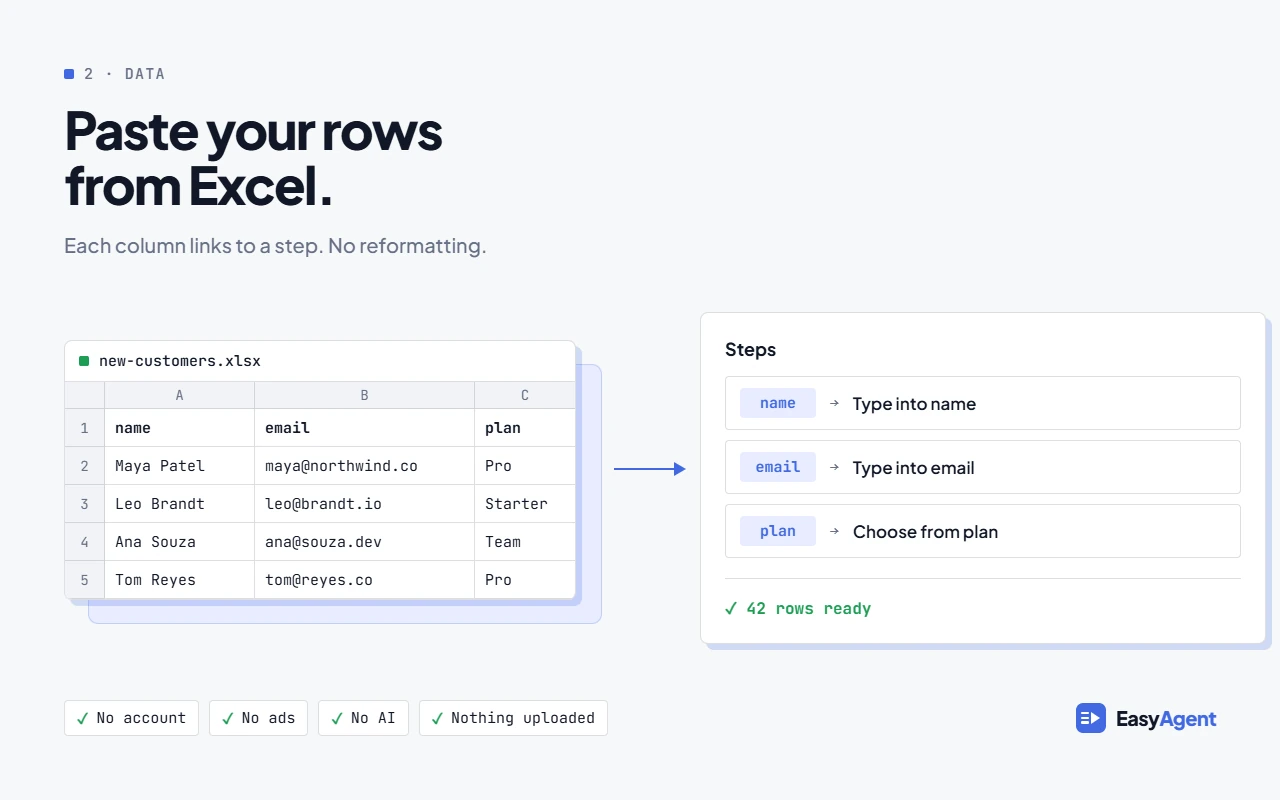
- Link fields to columns. Tell each step which spreadsheet column to use, so the name field takes the name column and so on. Dropdowns work, checkboxes can follow a yes/no column, and fields that only appear when a box is ticked are handled too. For values that aren't in your sheet,
{{today}},{{row}}and{{random}}fill in the date, the row number or a unique code. - Paste your rows. Copy the rows from Excel and paste them in, or drop in a .xlsx or .csv file.
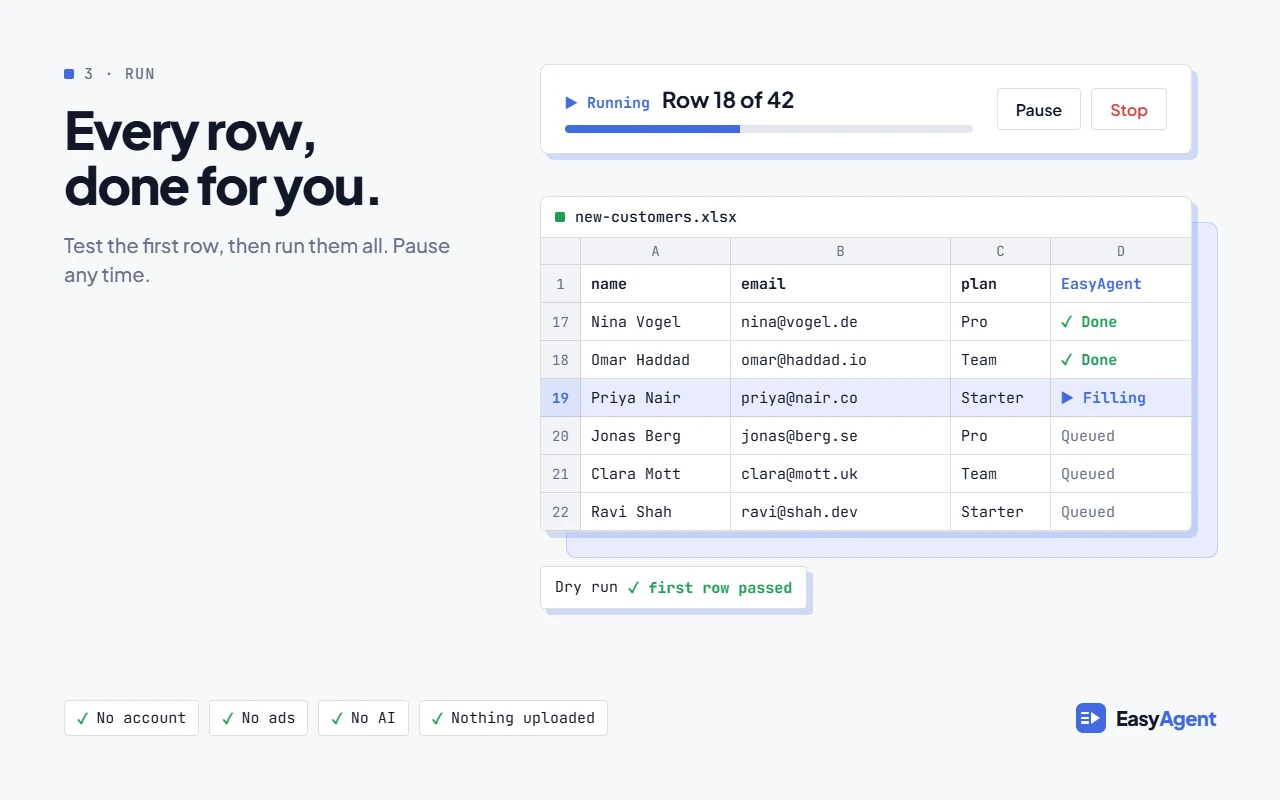
- Try one row first. A dry run fills in the first row only. Check the result on the website before you go any further.
- Run the rest. If the first row looks right, click "Run remaining". It carries on from row 2, so nothing is entered twice.
- Check what worked. The results sheet shows Done, Failed or Not run for every row, with the reason. You can copy it back into Excel. If some rows failed, you can retry just those rows. If the browser closes mid-run, you can resume where it stopped.
If you're coming from iMacros
EasyAgent doesn't import iMacros .iim files, so you'll need to re-record your macros. In my experience that usually takes a couple of minutes each. Most of the old ideas have a direct equivalent:
- !DATASOURCE and !LOOP become pasting your rows. There's no file path or loop counter to set up.
- !EXTRACT becomes the Extract step. It can pull out single values or whole tables and save them as CSV.
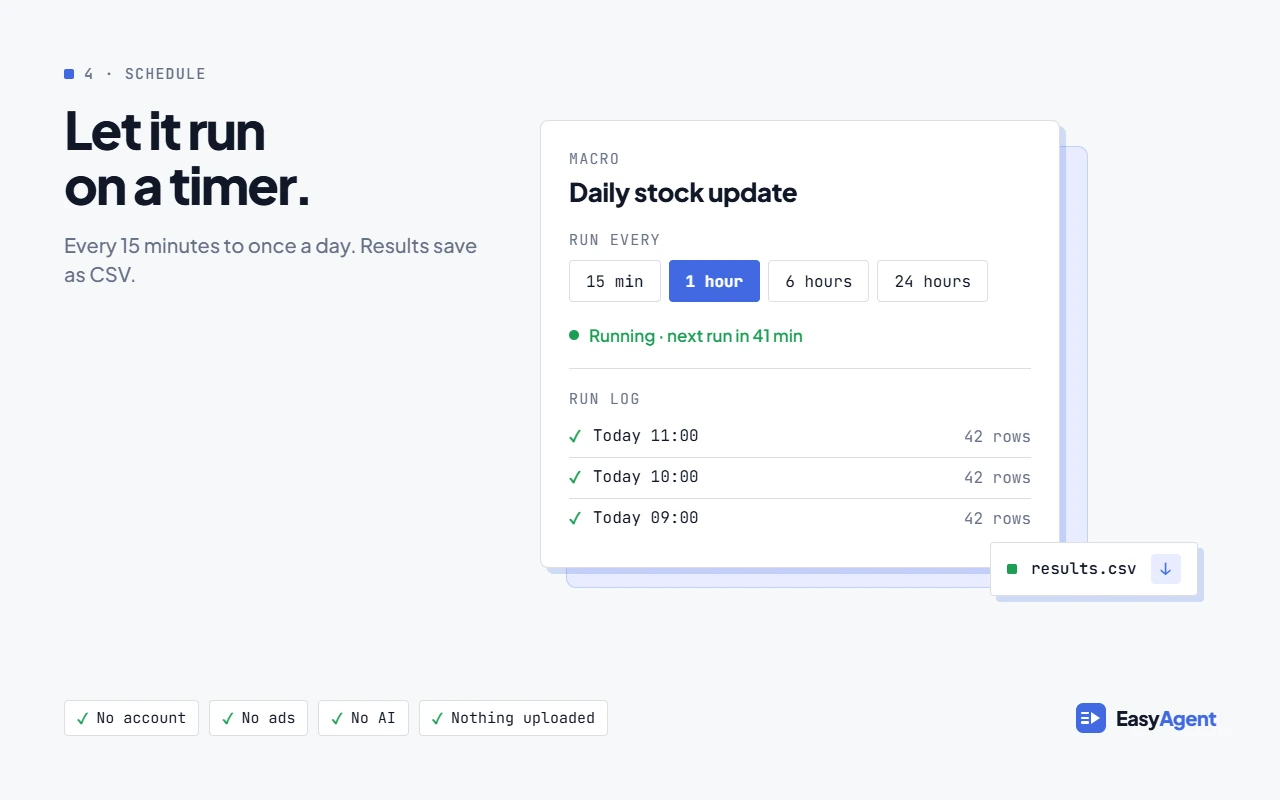
- Windows Task Scheduler becomes the built-in Schedule. A macro can run every 15 minutes, every 24 hours, or at an interval in between.
Try it
EasyAgent is free. There's no account, no ads and no AI inside the extension, and your recordings and data stay in your browser.
I built it for my own work, and I still use it. If you used to rely on iMacros and haven't found anything that fits, it might suit you too.
Related posts
Browser Automation Without an API: Turning Spreadsheets into Automated Web Tasks
How EasyAgent, a free Chrome extension, records a click-and-fill workflow once and replays it against every row of a spreadsheet — no API, no bulk-import tool, and no code.
June 26, 2026How I Automated Casino Game Onboarding with AI and Custom Extensions
How a five-part automation pipeline — spanning AI-assisted configuration, OCR asset renaming, browser automation, and certificate processing — eliminated hours of weekly manual work and freed up time for higher-value strategic work.
September 26, 2026How to Present Casino Game Screenshots to Operators and Licensees
What operators and licensees look for in casino game screenshots, and how to capture, frame and structure them for a pitch that gets games live.